File Commander Manager & Vault
MobiSystemsBusiness
4.211.04K Reviews
- Version
- Varies With Device
- Installs
- 100.00M
- Age Rating
- Everyone
Screenshots

Our Review of File Commander Manager & Vault
 Analysis by Appyee
When I choose a mobile file manager, I care less about having the longest tool list and more about whether I can find a document, move it where it belongs, and keep private items separate without turning a simple task into a project. File Commander Manager & Vault is aimed at people who want those jobs gathered in one place, especially if their files live both on the device and in cloud storage. It is a free business app from MobiSystems, with optional in-app purchases ranging from $0.99 to $49.99 per item.
It has been around since November 6, 2012, and its reach is substantial: more than 100 million installs, an average rating of 4.2 from around 922,000 ratings, and roughly 11,000 written reviews. Those figures suggest a well-established option, but they don’t tell me whether it suits a particular workflow. I’d judge it by the work I need it to do: sorting local files, moving material between folders, handling cloud content, or setting aside personal photos.
Start with the jobs you actually need to do
For everyday use, the main question is whether you want a general-purpose manager or a narrower tool. A device’s built-in file browser may be enough if you only occasionally open a download or move one document. A dedicated cloud app may be simpler if nearly everything you touch already lives in one service. File Commander makes more sense when you regularly switch between local folders and online storage, or want a single place to browse different kinds of content.
That broader approach has a trade-off: an all-in-one interface can feel busier than a tool designed for just one task. I would not install it solely for a rare file transfer if the tools already on my device handle that comfortably. But for someone who repeatedly searches across documents, photos, music, and videos, having those categories together can save small amounts of time throughout the week.
First Impressions
Upon launching the File Commander Manager & Vault, the first thing that caught my eye was its clean and intuitive interface. It’s like the app is speaking a language my inner neat freak understands. Everything is neatly categorized, making it a breeze to navigate through my files, whether they’re photos, music, documents, or videos.
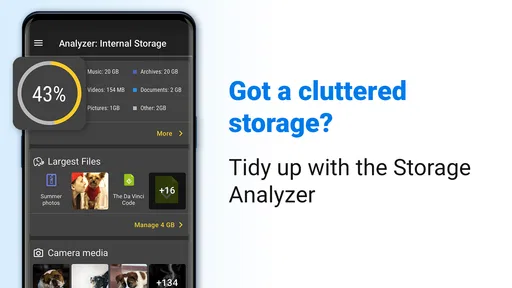
The app opens up with a dashboard that gives you a quick overview of your storage usage. I found this particularly handy because, let’s face it, we all like to hoard digital junk. With just a glance, you can see what's eating up your space, which is great for those impromptu decluttering sessions.
Features That Stand Out
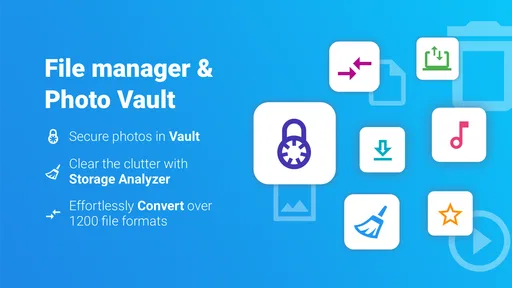
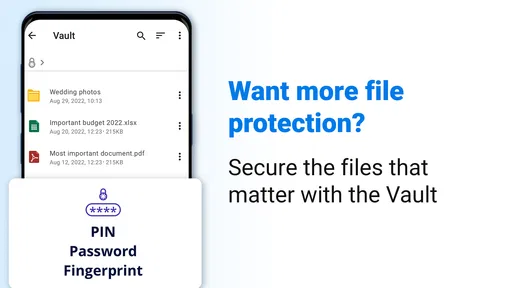
One of the standout features of this app is its vault functionality. If you’re like me and have some files that are for-your-eyes-only, you’ll appreciate how easy it is to move them into a secure location. The vault encrypts your sensitive data, which means prying eyes are kept at bay. It’s simple to set up, and the peace of mind it offers is priceless.
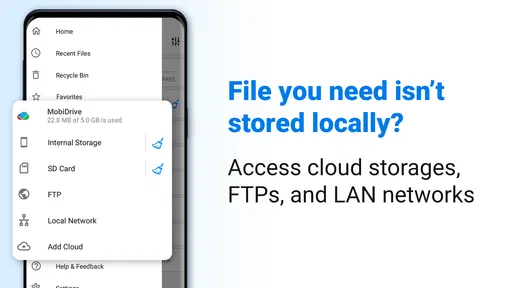
Another thing I loved was the integration with cloud services. Whether you’re using Google Drive, Dropbox, or OneDrive, File Commander has you covered. You can manage and transfer files between your device and the cloud seamlessly. It’s like having a digital butler that organizes everything for you.
Making a cloud workflow less messy
A useful habit with any cloud-connected file manager is to decide where the “working copy” belongs before moving anything. I use the local folder for items I need while offline, then put finished or shareable material in the cloud location that makes sense for the people who need it. That simple distinction helps prevent duplicate versions with vague names such as “final” and “final new.” File Commander’s value here is being able to work across those locations from a single manager rather than repeatedly switching between separate apps.
For a realistic example, imagine receiving a work document while away from a desk, saving it locally, and later moving the completed copy into a shared cloud folder. A file manager is useful in that handoff because you can check the source and destination folders directly. I’d still pause before moving or deleting anything from a shared location: cloud folders can contain material that other people rely on, so a tidy personal view is not a reason to reorganize someone else’s workspace.
Performance and Usability
Performance-wise, the app runs smoothly without any noticeable lag, even when handling large files. It’s optimized to perform well on both Android and iOS, which is a big plus for those of us who like to switch between devices.
The usability factor is enhanced by the app’s multi-tab browsing feature. It allows you to open multiple folders at once, making file management much easier and more efficient. You can drag and drop files between folders, which feels almost as satisfying as organizing your desktop.
Small workflow choices that prevent mistakes
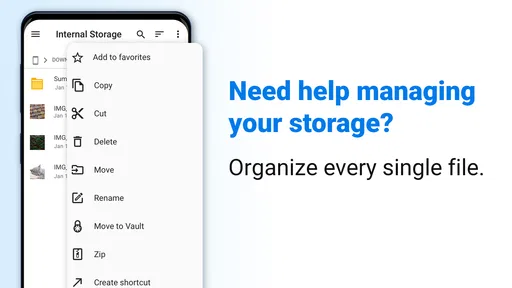
Multiple open folders are most useful when I treat them as a source-and-destination pair: keep the original folder in one tab, open the intended destination in another, and check the file name before moving it. That is a simple safeguard, but it matters when several folders contain similarly named documents. For a batch cleanup, I’d also work a category at a time—downloads first, then photos or documents—rather than moving a mixed pile all at once. It makes errors easier to spot and reversals less stressful.
The storage overview can help decide what to inspect, but it is not a substitute for deciding what is safe to remove. Large files may be important, and a file that looks redundant locally may be the only copy you can reach offline. I recommend checking the folder and keeping a backup of anything valuable before deleting it. A manager can show where clutter is; it cannot know which memory, receipt, or work file you will need later.
Customization and Personalization
A neat little bonus is the ability to customize the app’s theme. You can choose from a variety of color schemes to match your style, which adds a personal touch to your file management experience. It’s these little details that make the app feel like it’s truly yours.
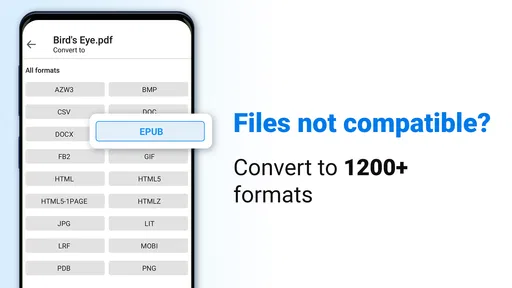
If you’re someone who loves shortcuts and quick actions, File Commander offers a range of tools to streamline your workflow. From compressing files to converting them into different formats, it feels like you have a mini toolkit at your fingertips.
Privacy and choosing the right tool
The vault is a practical option for separating personal photos or documents from ordinary browsing, but I would treat it as a convenience for privacy rather than a complete security plan. Before putting anything important there, I’d check how the app’s current vault setup works on my device and make sure I understand how I would regain access if I change phones or reinstall the app. For irreplaceable files, keeping a separate secure backup is sensible; hiding a single copy does not protect it from loss.
That distinction also helps answer who should skip this app. If your priority is a highly specialized privacy tool, a dedicated vault may suit you better. If you only want to browse local folders, your phone’s built-in manager may be the less complicated choice. And if you mostly organize files inside one cloud service, that service’s own app may offer a more direct experience. File Commander is strongest when you want the local-and-cloud combination, not when you need one narrow job done with as few options as possible.
What to expect from the free starting point
The app is free to download, but optional purchases are part of the picture. I’d start by using the free experience for the tasks I actually care about, then decide whether a paid item solves a real limitation in my routine. The listed purchase range runs from under a dollar to just under fifty dollars per item, so I would check the exact offer and terms shown in the app before buying rather than assuming every useful tool is included at no cost.
It is also rated for Everyone and requires Android 7.0 or later. Those details make it easier to judge basic compatibility, but the sensible step is still to check the current app page on your device before installing, especially if you are comparing platforms or using an older phone. File management depends on the way a particular device exposes storage, so I would test the folders and cloud accounts I rely on before moving a large collection.
Final Thoughts
After spending some quality time with File Commander Manager & Vault, I can confidently say it’s a powerhouse of an app. It combines functionality with ease of use, making it a must-have for anyone looking to tidy up their digital life. Whether you’re a file hoarder or just someone looking for a better way to manage your data, this app has something for everyone.
So, if you’re ready to take control of your files and keep them safe, give File Commander a try. It might just become your new favorite app. And who knows, you might even enjoy the process of organizing your digital world!
Who I’d recommend it to
I’d suggest trying it if you move files between a phone and cloud storage often, prefer browsing several folders side by side, or want a straightforward way to keep selected personal items apart from everyday files. The strongest case is a person who handles mixed material—work documents, downloads, and photos—and benefits from having one starting point for all of it. That is a more convincing reason to install it than simply wanting another app on the home screen.
If your file habits are light, you may not notice enough benefit to justify changing your routine. And if privacy is the only reason you are looking, compare the vault’s role with the protections and recovery options you need before trusting it with your only copy. My recommendation is practical rather than automatic: try the free app with a small, low-risk set of files, learn how its folders and cloud connections fit your device, and keep using it if that saves you real effort.
Verdict
Strengths of File Commander Manager & Vault
- Intuitive interface for easy navigation.
- Robust file organization features.
- Supports a wide range of file formats.
- Efficient cloud integration options.
- Secure vault for sensitive files.
Limitations of File Commander Manager & Vault
- Contains in-app advertisements.
- Some features require premium upgrade.
- Occasional slow performance.
- Limited free cloud storage options.
- User interface feels slightly outdated.
Other Releases by MobiSystems
View All
MobiOffice: Word, Sheets, PDF
Business4.4

Mobi PDF・Editor・Scanner・Reader
Business4.4

Talk & Translate AI Translator
Books & Reference4.5

OfficeSuite Pro + PDF
Business4.5
Similar Picks in This Category
View All
LinkedIn: Community & Network
LinkedIn3.8

Zoom Workplace
zoom.com4.1

Microsoft Teams
Microsoft Corporation4.6

Meta Business Suite
Meta Platforms, Inc.4.6

Webex Meetings
Cisco Systems, Inc.4.5

TeamViewer Remote Control
TeamViewer4.4
Frequently Asked Questions
What features does File Commander Manager & Vault offer?
File Commander Manager & Vault provides a comprehensive suite of tools for managing files efficiently on your device. It includes features like file browsing, cloud storage integration, secure file encryption, and a built-in vault for sensitive files. Additionally, it supports various file formats, making it versatile for both personal and professional use.
How does the Vault feature enhance file security?
The Vault feature in File Commander Manager & Vault allows users to securely store sensitive files with encryption. It ensures that only authorized users can access the contents by requiring a password or biometric authentication. This adds an extra layer of security, safeguarding your private information from unauthorized access.
Is File Commander Manager & Vault compatible with cloud services?
Yes, File Commander Manager & Vault integrates seamlessly with popular cloud services like Google Drive, Dropbox, and OneDrive. This allows users to access, manage, and sync their files across multiple devices effortlessly. The app provides a centralized platform to manage both local and cloud-stored files efficiently.
Can File Commander Manager & Vault handle different file types?
Absolutely. File Commander Manager & Vault supports a wide range of file formats, including documents, images, videos, and archives. This compatibility makes it a versatile tool for managing diverse types of files, ensuring that users can handle all their file management needs from one app.
Is there a cost associated with using File Commander Manager & Vault?
File Commander Manager & Vault offers both a free version with basic features and a premium version with advanced functionalities. The premium version typically includes features like enhanced security options, ad-free experience, and additional storage management tools. Users can choose according to their needs and budget.
